> For the complete documentation index, see [llms.txt](https://developer.emporix.io/llms.txt). Markdown versions of documentation pages are available by appending `.md` to page URLs; this page is available as [Markdown](https://developer.emporix.io/frontend-guides/readme.md).
# B2B Commerce Frontend
Discover the commerce frontend journey.
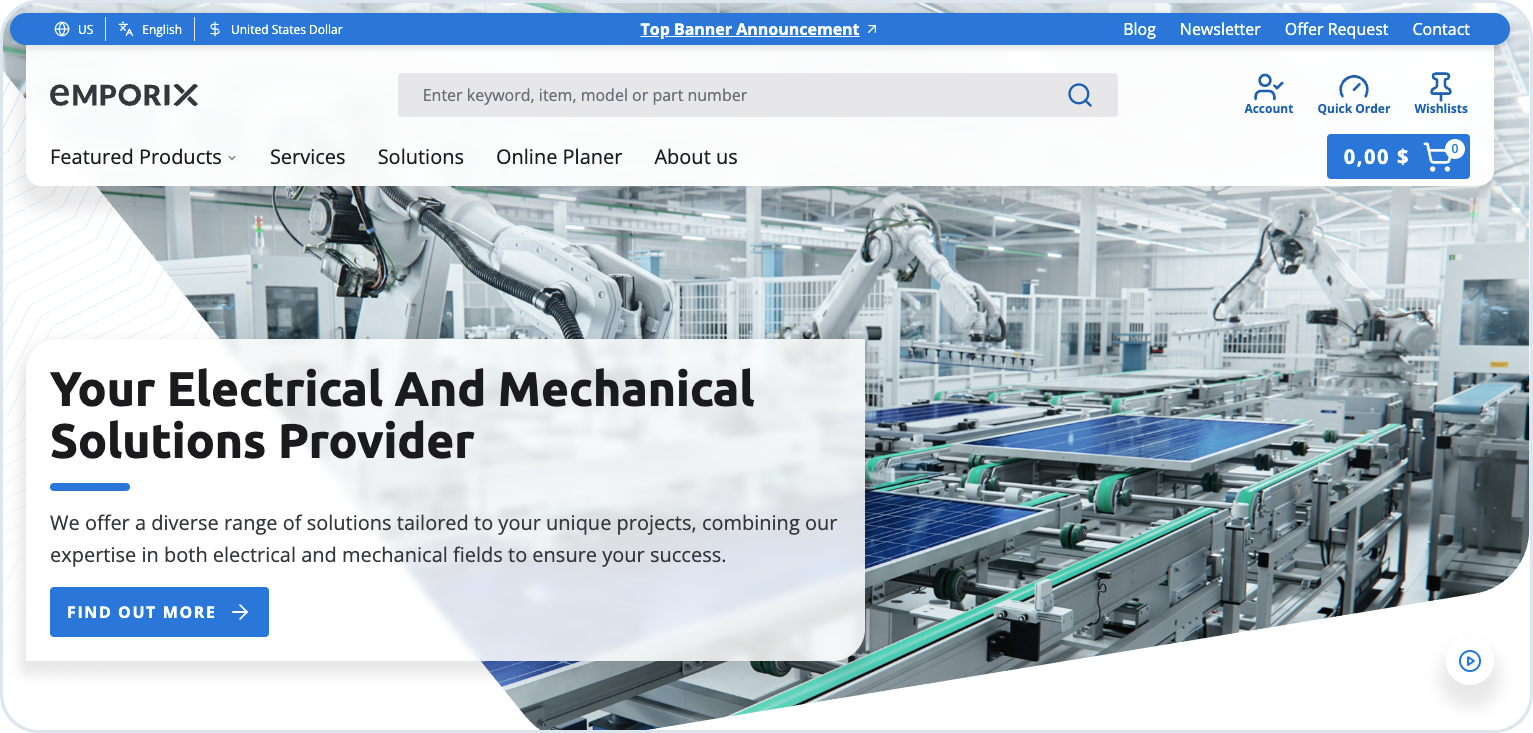
The B2B Commerce Frontend offers a clear, modern homepage that makes it easy to start shopping right away. The design is simple and intuitive - whether you're exploring as a guest or a logged in user. The design promotes clarity and ease of use, ensuring that both guest visitors and registered users can quickly locate the tools and information they need.
The frontend is an ideal starting point for a new storefront or e-commerce platform. The platform is specifically designed to give you a head-start while not overloading you with features you don't need.
Key features include:
* Modular architecture with separated business and integration layers, supporting extension or replacement of business logic such as real-time pricing, order processing, and related services.
* Account management and service portal, providing a configurable dashboard to support self-service and administration.
* Product and checkout functionality, including predefined product discovery and checkout flows.
* Content management support with Storyblok integration, enabling structured content management without custom CMS development.
* Search and product discovery powered by BatteryIncluded when configured as the indexing provider — including facets, synonyms, and searchable fields that you set up in the BatteryIncluded portal. See [BatteryIncluded Search Provider](/user-guides/system-management/search/batteryincluded.md).
{% hint style="info" %}
To learn more about Emporix integration with Storyblok, see [Emporix Storyblok App](/user-guides/extensibility-and-integrations/add-ons/storyblok.md).
{% endhint %}
{% hint style="success" %}
If you're interested in getting the product, contact the [Emporix Sales Team](mailto:sales@emporix.com).
Installation and deployment information is included with the B2B Commerce Frontend package. For further details, contact the [Emporix Support Team](mailto:support@emporix.com).
{% endhint %}
The Emporix frontend homepage with navigation, search, and featured products
---
# Agent Instructions
This documentation is published with GitBook. GitBook is the documentation platform designed so that both humans and AI agents can read, navigate, and reason over technical content effectively. Learn more at gitbook.com.
## Querying This Documentation
If you need additional information that is not directly available in this page, you can query the documentation by asking a question.
Perform an HTTP GET request on the following URL with the `ask` and `goal` query parameters:
```
GET https://developer.emporix.io/frontend-guides/readme.md?ask=&goal=
```
`ask` is the immediate question: it should be specific, self-contained, and written in natural language.
`goal` is what the user is ultimately trying to achieve, the reason they need the answer. Sharing it helps GitBook give you a better, more relevant answer. A goal is most helpful when it describes the outcome the user wants rather than restating the question. For example, with `ask=how do I create an API token`, a goal like `automate deployments from our CI pipeline` lets GitBook tailor the answer to that use case.
The response will contain a direct answer to the question and relevant excerpts and sources from the documentation.
Use this mechanism when the answer is not explicitly present in the current page, you need clarification or additional context, or you want to retrieve related documentation sections.