> For the complete documentation index, see [llms.txt](https://developer.emporix.io/llms.txt). Markdown versions of documentation pages are available by appending `.md` to page URLs; this page is available as [Markdown](https://developer.emporix.io/import-tool/learning-trails/learning-trails.md). Agents can also search and read this documentation through its [MCP server](https://developer.emporix.io/~gitbook/mcp).

# Import Tool Learning Trails

Learn the Import Tool with a standalone sample products trail, plus a two-part HTTP API trail for users, posts, and embedded comments.

These trails walk you through the Import Tool in the product. The sample products trail stands alone as a single example, where the users and posts trail continues into embedding additional related data.

{% hint style="warning" %}
The sample sources are only for learning. They are not required Import Tool integrations.
{% endhint %}

## Access preparations

The Import Tool is generally available in Management Dashboard, so a dedicated access control and user group are not required to follow these trails. As an optional good practice, you can still set them up when you want only a specific group to use the tool:

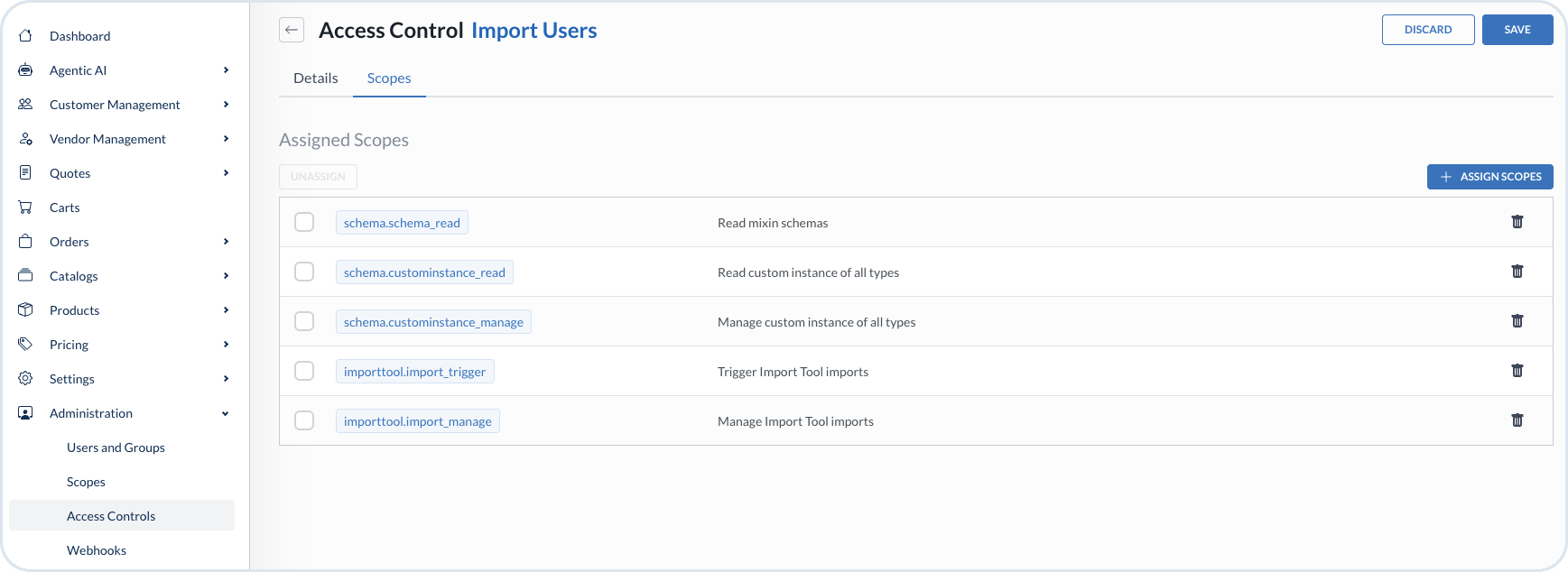
* An access control with the Import Tool scopes

<figure><img src="https://2637457592-files.gitbook.io/~/files/v0/b/gitbook-x-prod.appspot.com/o/spaces%2F9VS91qn3Ylwd58YivX1A%2Fuploads%2Fgit-blob-473b429ba2a657751a6212e28b83fb855d2667c4%2Fit_access_controls.png?alt=media" alt="Access Control Scopes tab with Import Tool and schema scopes assigned"><figcaption><p>Scopes assigned to the Import Users access control, including Import Tool and schema permissions</p></figcaption></figure>

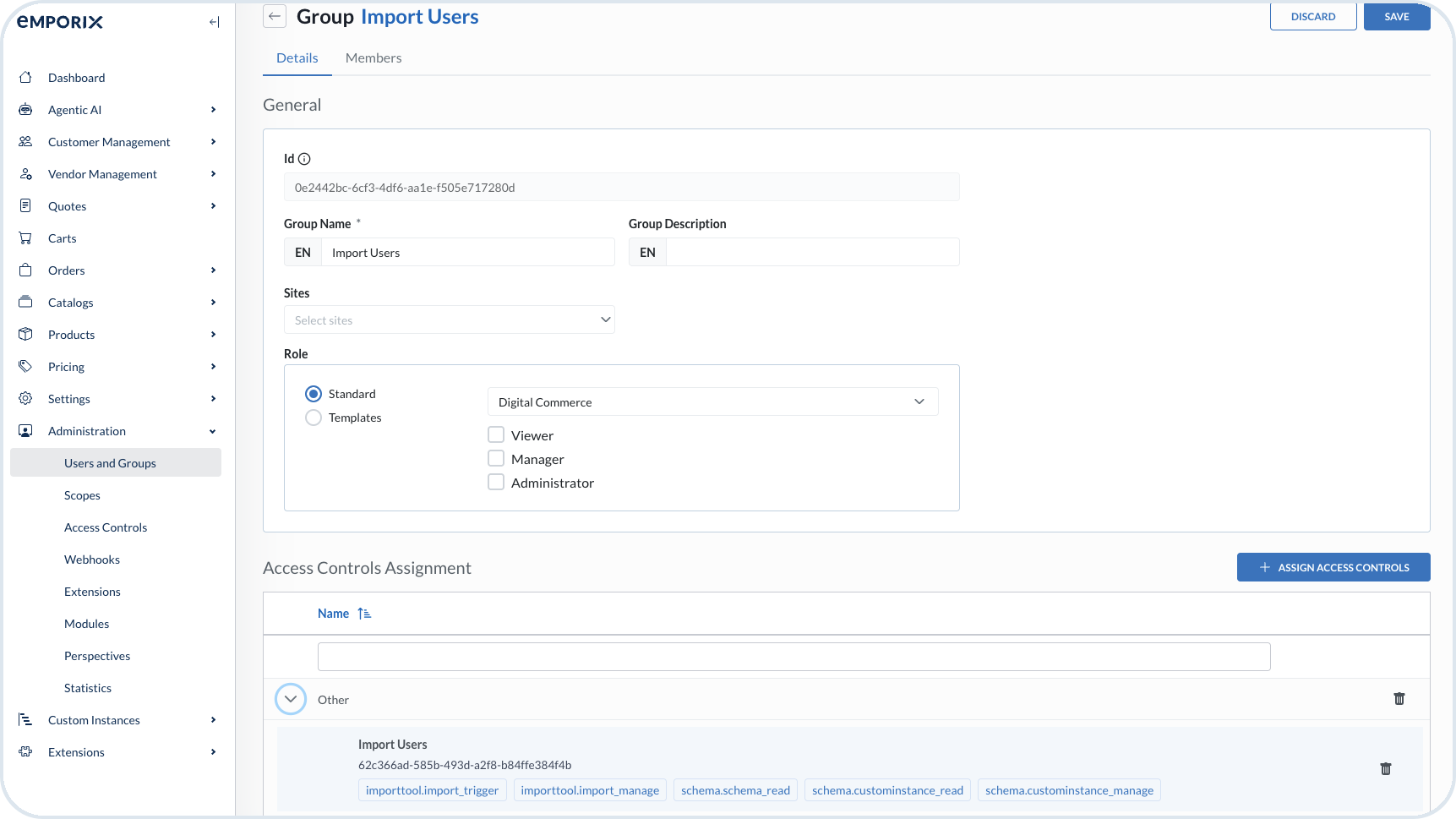
* A user group that has that access control, for example **Import Users**

<figure><img src="https://2637457592-files.gitbook.io/~/files/v0/b/gitbook-x-prod.appspot.com/o/spaces%2F9VS91qn3Ylwd58YivX1A%2Fuploads%2Fgit-blob-067688c3e75bb4083d34dddefa542571d752efcb%2Fit_user_group.png?alt=media" alt="Import Users group with assigned Import Tool access controls"><figcaption><p>The Import Users group with the Import Tool and schema access controls assigned</p></figcaption></figure>

* That group listed under **Allowed Groups** on the **Import Tool** perspective

<figure><img src="https://2637457592-files.gitbook.io/~/files/v0/b/gitbook-x-prod.appspot.com/o/spaces%2F9VS91qn3Ylwd58YivX1A%2Fuploads%2Fgit-blob-b2d9db782a09c476d6e53a56fddd94cb8f140c45%2Fit_perspective.png?alt=media" alt="Edit Perspective dialog for Import Tool with Import Users in Allowed Groups"><figcaption><p>The Import Tool perspective with the Import Users group added under Allowed Groups</p></figcaption></figure>

For the full procedure, see [Prerequisites for the Import Tool](https://developer.emporix.io/import-tool/import-setup-and-jobs/prerequisites.md).

Each trail also asks you to create the custom entities and mixin fields that example uses. Open the **Import Tool** perspective before you start a path.

## Choose a trail

### Sample products

A standalone trail that uses a static JSON file and a single stream:

* [Importing Sample Products](https://developer.emporix.io/import-tool/learning-trails/learning-trails/importing-sample-products.md) – connect to a product JSON file, map one stream, and review imported instances

### Users, posts, and comments

An HTTP API trail in two parts. Complete users and posts first, then embed comments:

1. [Importing Users and Posts](https://developer.emporix.io/import-tool/learning-trails/learning-trails/importing-users-and-posts.md) – import related resources from a public REST API and set stream dependencies
2. [Embedding Comments on Posts](https://developer.emporix.io/import-tool/learning-trails/learning-trails/embedding-comments-on-posts.md) – continue that example with a composite child stream

When you finish a trail, use the other Import Tool guides for options these paths do not cover, such as [Connections](https://developer.emporix.io/import-tool/import-setup-and-jobs/connections.md), [Field Mapping](https://developer.emporix.io/import-tool/import-setup-and-jobs/imports/field-mapping.md), and [Running and Monitoring Imports](https://developer.emporix.io/import-tool/import-setup-and-jobs/imports/running-imports.md).


---

# Agent Instructions
This documentation is published with GitBook. GitBook is the documentation platform designed so that both humans and AI agents can read, navigate, and reason over technical content effectively. Learn more at gitbook.com.

## Querying This Documentation
If you need additional information that is not directly available in this page, you can query the documentation by asking a question.

Perform an HTTP GET request on the following URL with the `ask` and `goal` query parameters:

```
GET https://developer.emporix.io/import-tool/learning-trails/learning-trails.md?ask=<question>&goal=<user_goal>
```

`ask` is the immediate question: it should be specific, self-contained, and written in natural language.
`goal` is what the user is ultimately trying to achieve, the reason they need the answer. Sharing it helps GitBook give you a better, more relevant answer. A goal is most helpful when it describes the outcome the user wants rather than restating the question. For example, with `ask=how do I create an API token`, a goal like `automate deployments from our CI pipeline` lets GitBook tailor the answer to that use case.

The response will contain a direct answer to the question and relevant excerpts and sources from the documentation.

Use this mechanism when the answer is not explicitly present in the current page, you need clarification or additional context, or you want to retrieve related documentation sections.