Order Intake
Automate extraction, validation, and routing of email and document based orders.
Order Intake transforms unstructured purchase orders received by email into validated sales orders in your commerce and ERP systems. It automates extraction, validation, and routing so operators spend less time on manual entry and more time resolving exceptions.
The value stream works with the Order Intake Cockpit, where order managers can work on the emailed purchase order documents, monitor processing status, and complete orders that need review. AI Agents help in interpreting incoming content, extracting order details, validating them against your catalog and business rules, and routing exceptions for user approvals.

Key features and benefits
Automated data extraction
Order data is captured using AI-based parsing from emails and PDF attachments, ensuring consistent extraction across varying formats and reducing manual entry errors.
Validation and exception routing
Extracted data is validated against predefined business rules, including customer identity, product availability, and pricing. Only incomplete or inconsistent orders are routed for review, with full context for resolution in the cockpit.
Order Intake Cockpit
A dedicated interface for uploading documents, tracking extraction and validation status, correcting issues, and submitting approved orders.
Multi-channel intake
Processes orders from incoming emails with attachments and from PDF uploads initiated directly in the cockpit.
Customer, product, and price validation
Validates customers by ID or email, checks catalog availability per line item, flags unknown or out-of-stock products, and confirms pricing before order placement.
Product substitution suggestions
When products are out of stock, the process can search for alternatives and generate suggestions so operators can update the order in the cockpit before submission.
ERP and commerce integration
Validated orders are transferred into connected systems through APIs, eliminating duplicate manual entry.
Scalable, real-time processing
Orders are processed as they arrive, supporting higher volumes without proportional increases in manual effort.
Business use cases
The following use cases are examples of typical business scenarios, your implementation may differ based on project requirements.
Processing email-based purchase orders
A buyer sends a purchase order by email with a PDF attachment. The value stream classifies the message, extracts line items and delivery data, validates the customer and products, and creates a sales order—routing only mismatches to an operator in the cockpit.
Uploading document-based orders in the cockpit
An order manager receives a PO as a PDF and uploads it through the Order Intake Cockpit. The system extracts and validates the document, surfaces any missing customer or product data for correction, and submits the order once approved.
Onboarding new customers from incoming orders
When an order references a customer that is not yet in the system, the process attempts automatic customer creation from available address data. If information is insufficient, the case is flagged in the cockpit for manual completion before the order proceeds.
Resolving catalog and availability exceptions
Products that cannot be identified or are out of stock are flagged for review. Operators use cockpit document management to apply substitutions or skip lines, then submit the order without re-entering data in the ERP.
Process flow
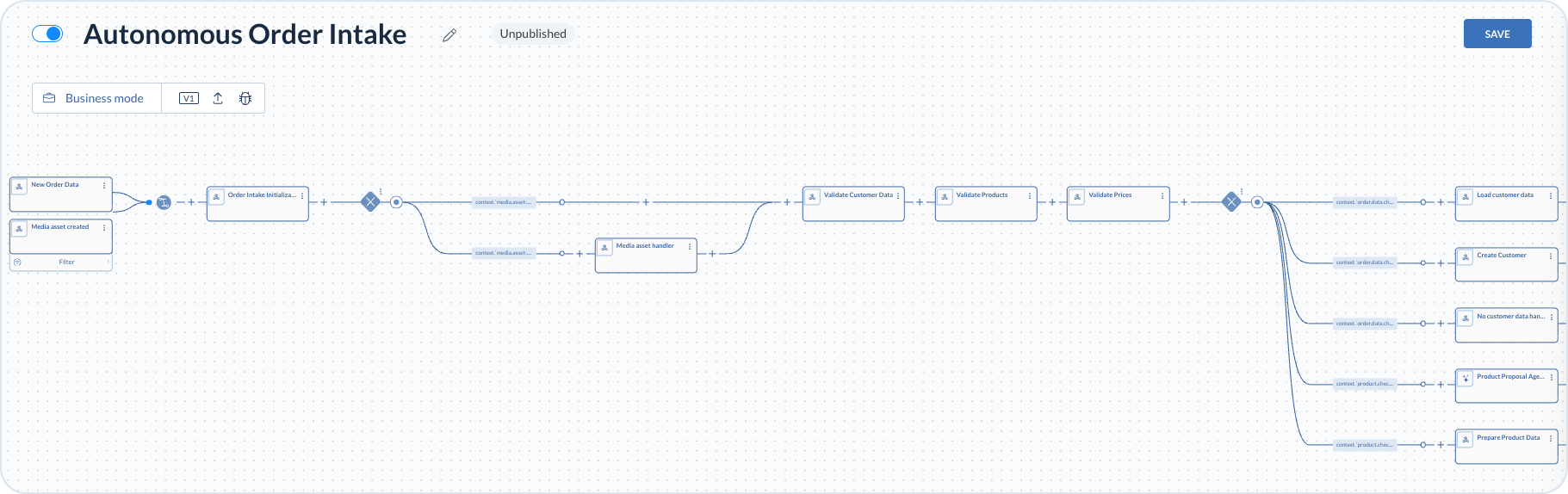
The process begins when an operator uploads an order document in the Order Intake Cockpit, or when a new email containing an order is received. When either condition is met, the process starts and subsequent steps execute.
Additional filters can limit which uploads start the process. For example, restricting the media (document) asset trigger to files linked to order intake data.
The system collects attached documents and intake metadata, then AI-based components interpret the input, extract order details, and validate the resulting normalized order model. If validation succeeds, the order is transferred to connected systems. If validation fails, an exception is created for review and resolution in the cockpit.
Document intake and extraction
After a trigger fires, a conditional step evaluates the media asset type from the payload. When the type is a Binary Large Object (BLOB), the uploaded file is prepared for downstream extraction and validation. When the type is null, the process continues on the default path without additional file handling. Both paths merge into customer, product, and price validations.
AI components interpret the content and extract customer details, line items, quantities, pricing, purchase order numbers, and delivery data into a normalized order model aligned with your system requirements.

Customer, product, and price validation
To place the order, the data must include customer, shipping and billing addresses, and product and price data for all line items.
Customer validation runs using identifiers in the payload. If no customer data is present, validation cannot continue. If a customer ID is provided, validation runs by ID first; if that fails and an email is available, the process retries by email. When no match is found, the process can create a new customer from available address data or require manual input in the cockpit.
Product validation checks each line item against the catalog and availability. Items are grouped as available, not found, or out of stock. Unknown products are flagged for review; out-of-stock items can receive alternative suggestions from a RAG database for operator selection in the cockpit.
Price validation requires a valid price for each product in scope. Missing prices are marked accordingly so operators can resolve them before submission.
Order creation and cockpit approval
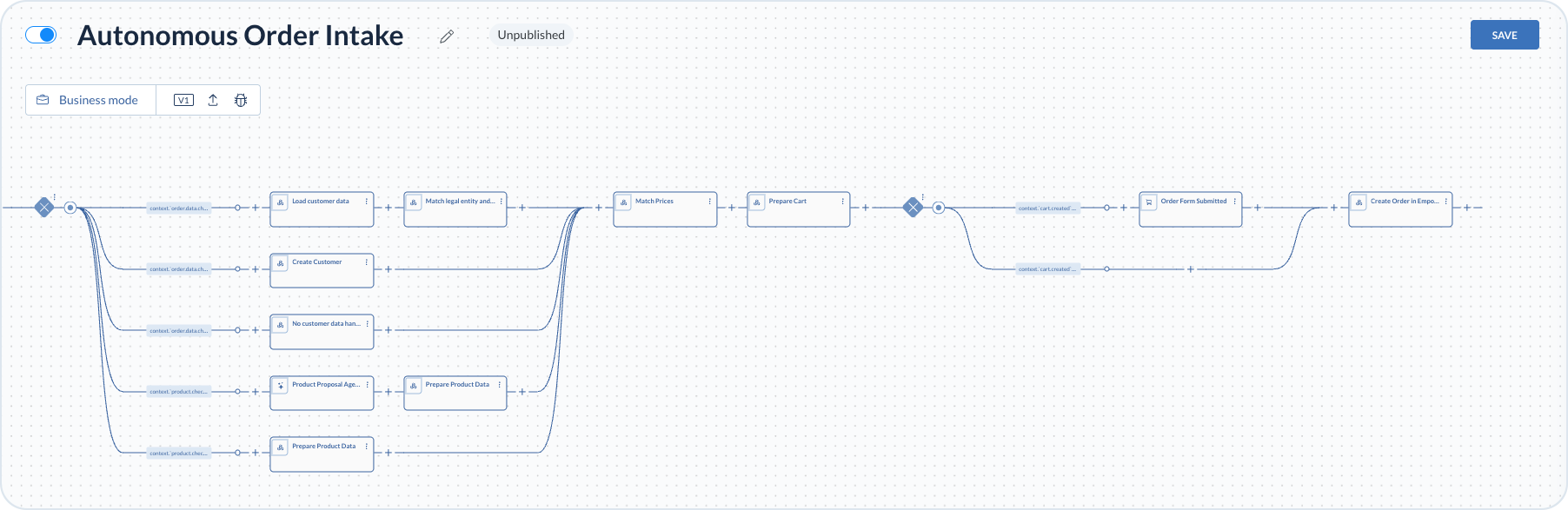
Once validation conditions are met, the process matches prices, prepares a cart from the validated order data, and reaches an order form submission step that acts as the approval checkpoint.
In the Order Intake Cockpit, operators review processing results, for example missing customer details or product substitutions. They manage corrections in the document view, and submit the order when ready. After order approval in the cockpit, the process creates the order in Emporix. The resulting sales order is visible in the cockpit and in the Management Dashboard.

Implementations of the process are tailored to each project to reduce manual effort, accelerate processing, and keep incoming order data consistent and reliable. For cockpit usage details, see the Order Intake Cockpit guides. To enable this functionality, contact the Emporix Sales Team.
Last updated
Was this helpful?