Process Flow
Process-level description of the technical interaction between Emporix Commerce Engine and SAP S/4HANA for sales and quote transactions.
This guide describes the interactions between Emporix Commerce Engine and SAP S/4HANA for sales and quote transactions at process level. The content is aligned with the Integration Suite Configuration guide.
Processes overview
Price simulation
The price simulation process ensures that a customer sees individual prices instead of general list prices, which is especially relevant in B2B processes. Pricing processes consider product discounts, customer discounts, master agreements, and other configured parameters. As part of corporate sales processes, pricing is typically defined in the ERP backend. In those processes, current and individual prices are determined by executing the backend pricing logic. For consistency, price determination in eCommerce relies on the same pricing process.
Determining individual product prices in the ERP backend is also response time-sensitive — customers accessing the B2B Commerce Frontend expect a quick update in response to their latest UI interaction. Individual pricing requires a logged-on customer, so their relationship to a company is known and all relevant information can be provided to the pricing process.
For SAP S/4HANA as the ERP backend, the function module PIQ_CALCULATE is a good option for fast price simulation. It is suggested to call pricing simulation from the shopping cart, providing the customer with up-to-date prices just before a potential checkout.
The PIQ_CALCULATE function module carries out pricing at line item level by determining and executing the pricing procedure configured in SAP S/4HANA. Header-level pricing, credit checks, and similar functions are not covered by this function module.
The integration package provides the RFC-based Pricing Simulation iFlow for calling this function module.
Order simulation
Order simulation provides order-relevant information before checkout and is closely related to price simulation. While price simulation primarily determines pricing results, order simulation covers the broader sales order creation process and can return additional information such as material availability and credit check results.
The simulation executes the configured ERP sales order creation logic without persisting the order. This allows relevant results — such as pricing, material availability, and credit status — to be displayed in the shopping cart.
In SAP S/4HANA, simulation is based on the API_SALES_ORDER_SIMULATION_SRV OData service, invoked by the A2X-based Order Simulation integration flow.
Order creation
The order creation process manages the transfer of sales orders from Emporix Commerce Engine to the SAP S/4HANA ERP system, triggered by the customer checkout event.
Upon checkout, Emporix Commerce Engine initiates the order.create webhook, which calls the A2X-based Order Create integration flow. This flow uses the SAP S/4HANA API_SALES_ORDER_SRV OData service to create the sales order, supporting both standard order creation and creation with reference to existing documents. Once successfully processed in the ERP — triggering any configured approval, execution, or invoicing workflows — the system updates the order status in the B2B Commerce Frontend to keep the customer informed.
Ongoing status updates are managed by the A2X-based Order Status Update integration flow, which queries the same API_SALES_ORDER_SRV OData service to translate SAP S/4HANA status values into corresponding statuses within Emporix Commerce Engine.
Quotation creation
The quotation process is essential for B2B scenarios and can originate either from the Emporix Commerce Engine shopping cart or directly within the ERP system — for example, as a follow-up to a customer call.
From the customer's perspective, the B2B Commerce Frontend provides the interface to accept or decline quotations. If a quotation is accepted, a sales order with a reference is posted to the ERP system. If declined, the quotation status is updated accordingly in the ERP system.
On the seller side, post-creation steps — such as sales manager approvals — occur within the ERP system, following corporate sales processes. Customers can track the progress of their quotation processing directly via the B2B Commerce Frontend.
Process steps involved in quotation processing
Quotation creation from Emporix — If the origin is the shopping cart, the Emporix
quote.createwebhook triggers the A2X-based Quote Create integration flow. The OData serviceAPI_SALES_QUOTATION_SRVis used for creation.Status updates from Emporix — Customer declines are managed via the
quote.changewebhook, triggering the A2X-based Quote Status Update integration flow. This flow uses the OData serviceAPI_SALES_QUOTATION_SRV.Order creation — Customer acceptance initiates the
order.createwebhook, triggering the A2X-based Order Create integration flow to create an order in SAP S/4HANA with a reference to the quotation, as described in the order creation process.Replication from SAP S/4HANA — If a quotation is created or updated in SAP S/4HANA, the A2X-based Quote Replication integration flow queries the
API_SALES_QUOTATION_SRVservice to sync these changes to Emporix Commerce Engine.
Master data prerequisites
For the quote approval flow to work end to end, master data must be set up correctly across Emporix and SAP.
Customer and company relationship
The customer who logs in to the B2B Commerce Frontend must have a clear relationship to a company. In the current example setup, a 1:1 relationship between the shop user and the company is required.
At customer level, one Business Partner entry is assigned. A customer can be related to a company in a "one to many" model, but the Business Partner assignment on the customer is a single entry.
SAP Business Partner and Sales Area on company level
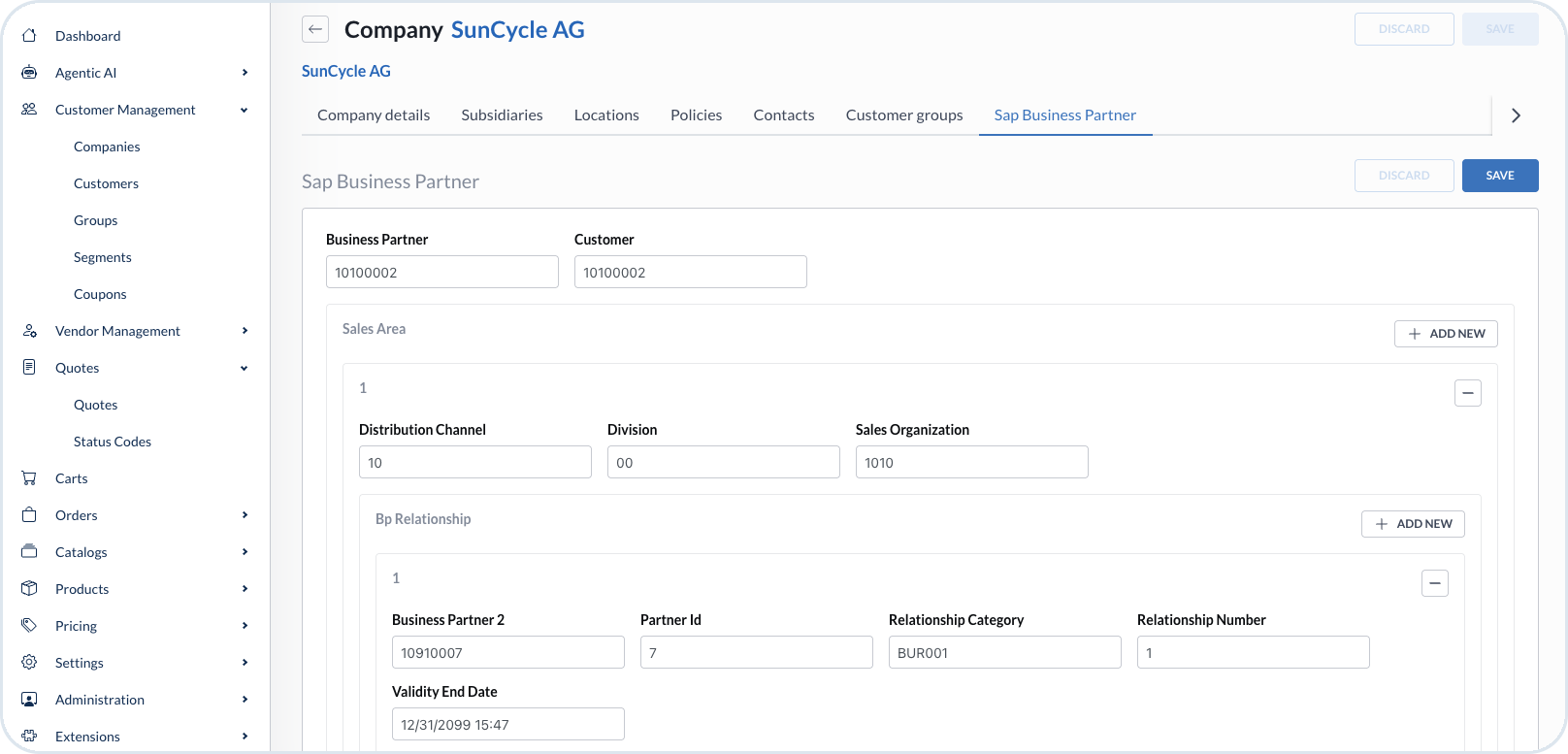
On the company, the Sap Business Partner mixin defines the SAP Business Partner and the Sales Area assignment. The Business Partner must have a unique relationship to the sales organization for the flow to work as delivered in the integration package.

Sales Area assignment on company level is configured per sales organization. The integration package supports one sales organization per shop user through the company relationship. If a single user must work across multiple sales organizations, a project-specific solution is required to extend the assignment model.
End-to-end quote approval flow
The following steps describe a quote approval scenario example across SAP S/4HANA, Emporix Management Dashboard, and the B2B Commerce Frontend that you can follow. In this example, the quotation originates in SAP and is replicated to Emporix through the A2X-based Quote Replication integration flow.
The same flow can also start from the B2B Commerce Frontend. In that case, the customer creates the quotation in Emporix, which triggers quote creation in SAP S/4HANA through the A2X-based Quote Create integration flow. After the quotation is released in SAP, the process continues in the same way — the customer accepts or declines the quotation on the B2B Commerce Frontend, and acceptance leads to order creation as described in the steps below. The only difference is the quote origin: when the flow starts in Emporix, it's the customer who creates the quotation.
Create the quotation in SAP S/4HANA
In SAP Fiori, create the sales quotation and select the Sales Area. After choosing the area, enter the remaining sales details.
The order reason is required to proceed with the quote.
On the Partner details, assign the contact person who should receive the quotation in Emporix.
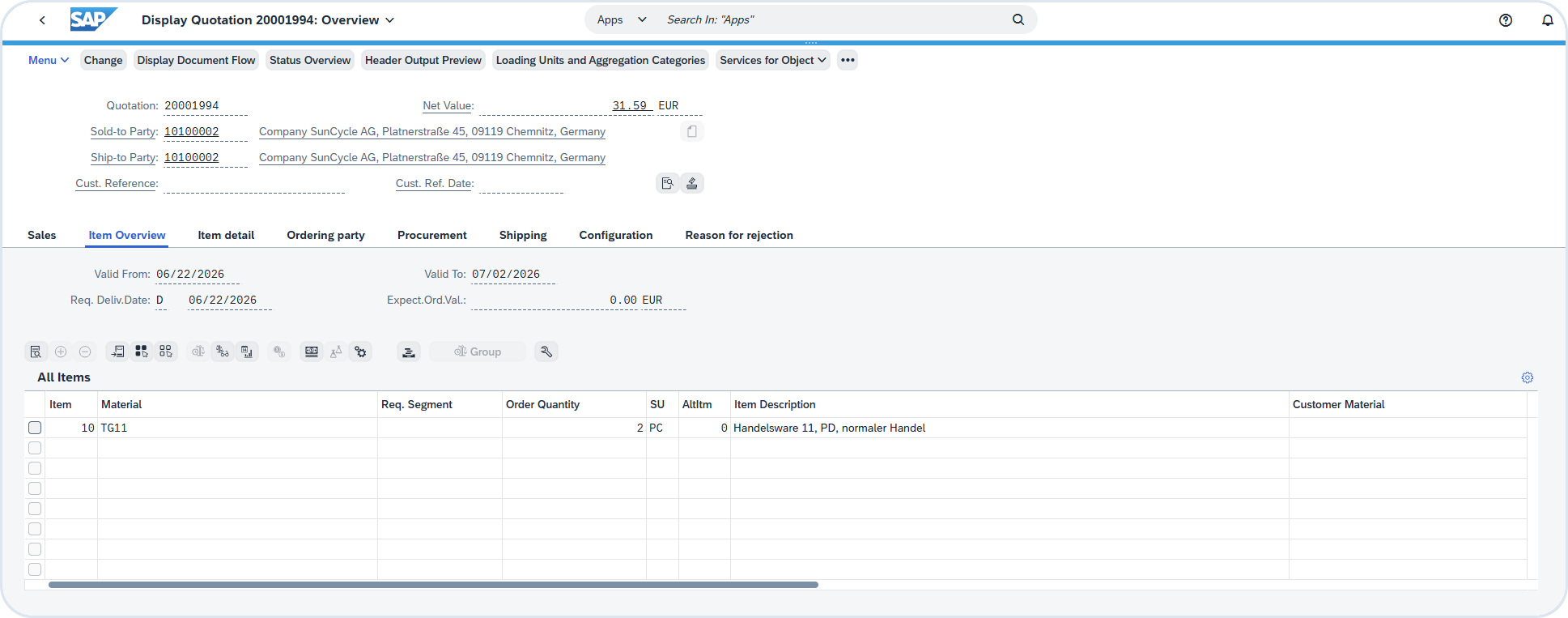
Then when the quotation is created, you can check its details overview.

Quote replication in Emporix
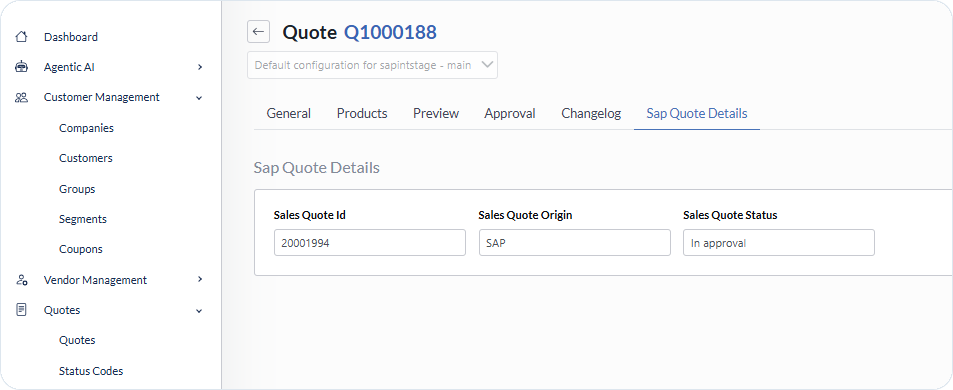
The quotation replicated from SAP appears in the Quotes view in the Management Dashboard with Creating status. In the Sap Quote Details tab, the SAP mixin fields show Sales Quote Id, Sales Quote Origin (SAP), and Sales Quote Status (In approval).

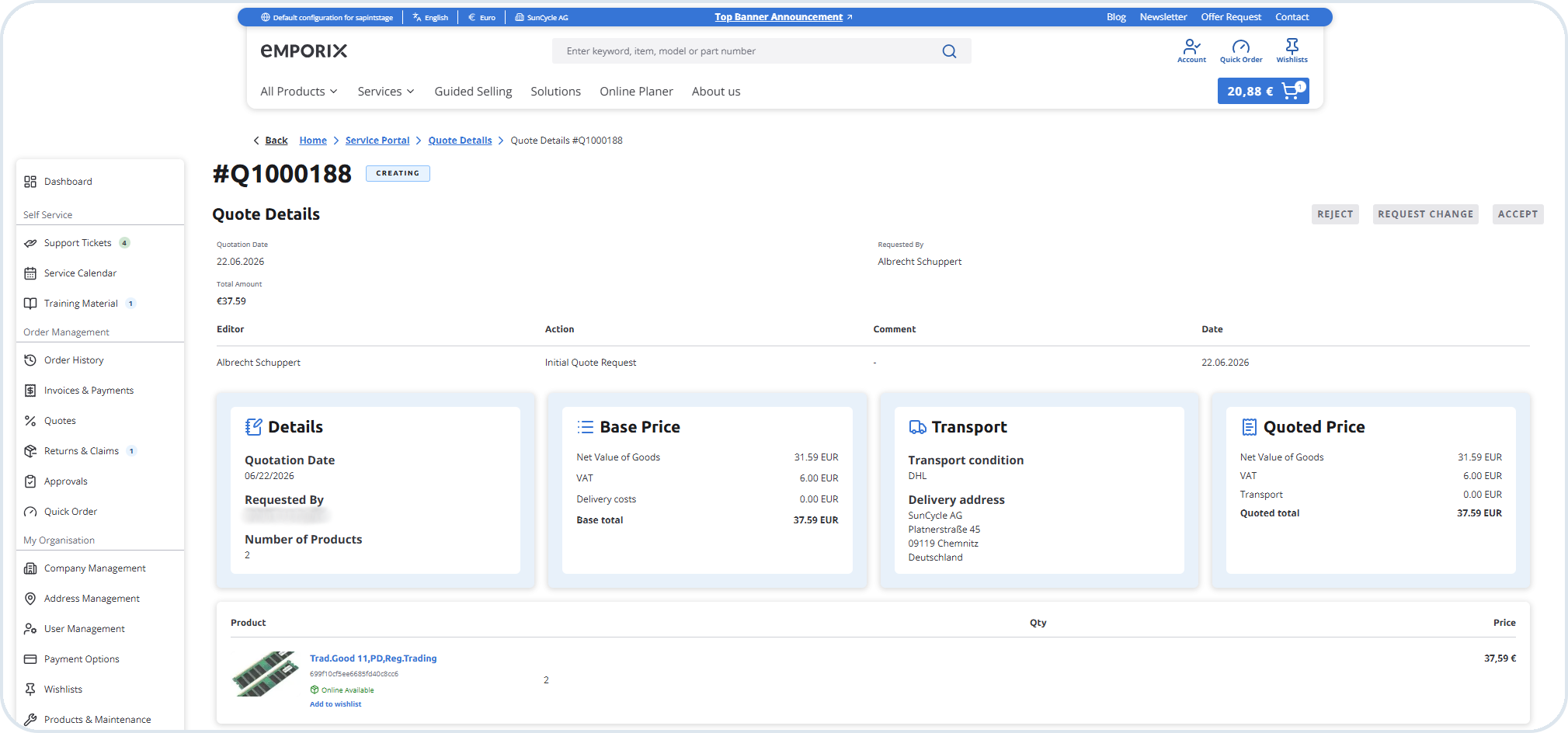
On the B2B Commerce Frontend, the replicated quotation is also visible with Creating status. The customer cannot accept or decline the quote yet because it has not been approved in SAP.

At this stage, the quotation status in SAP S/4HANA is In Approval. This mapping is intentional: on the B2B Commerce Frontend, the quote is not yet customer-actionable because it has not been approved in SAP.
SAP S/4HANA
In Approval
Emporix Management Dashboard / B2B Commerce Frontend
Creating
Quote becomes available on the B2B Commerce Frontend
After the quotation is released in SAP, the status is replicated to Emporix:
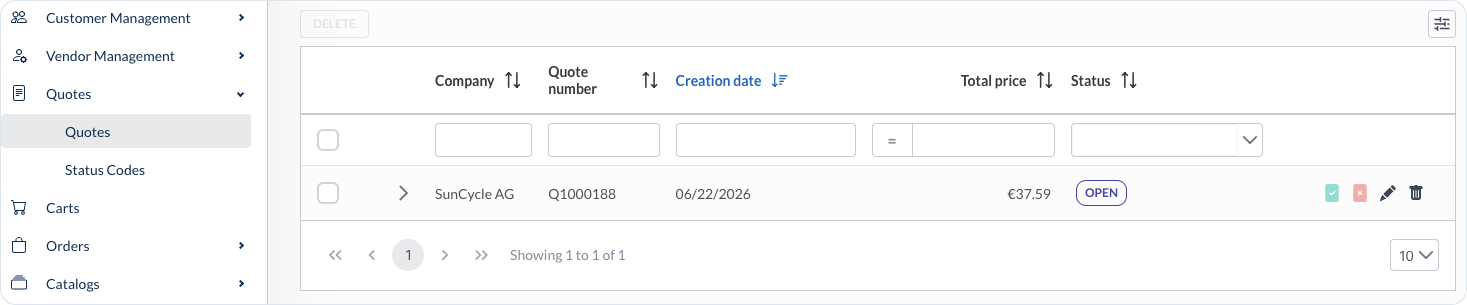
In the Management Dashboard Quotes view, the replicated quotation appears in the list with Open status. The row shows the related Company, Creation date, and Total price.

On the Sap Quote Details tab, the SAP mixin fields are populated with Sales Quote Id, Sales Quote Origin (
SAP), and Sales Quote Status (Released).

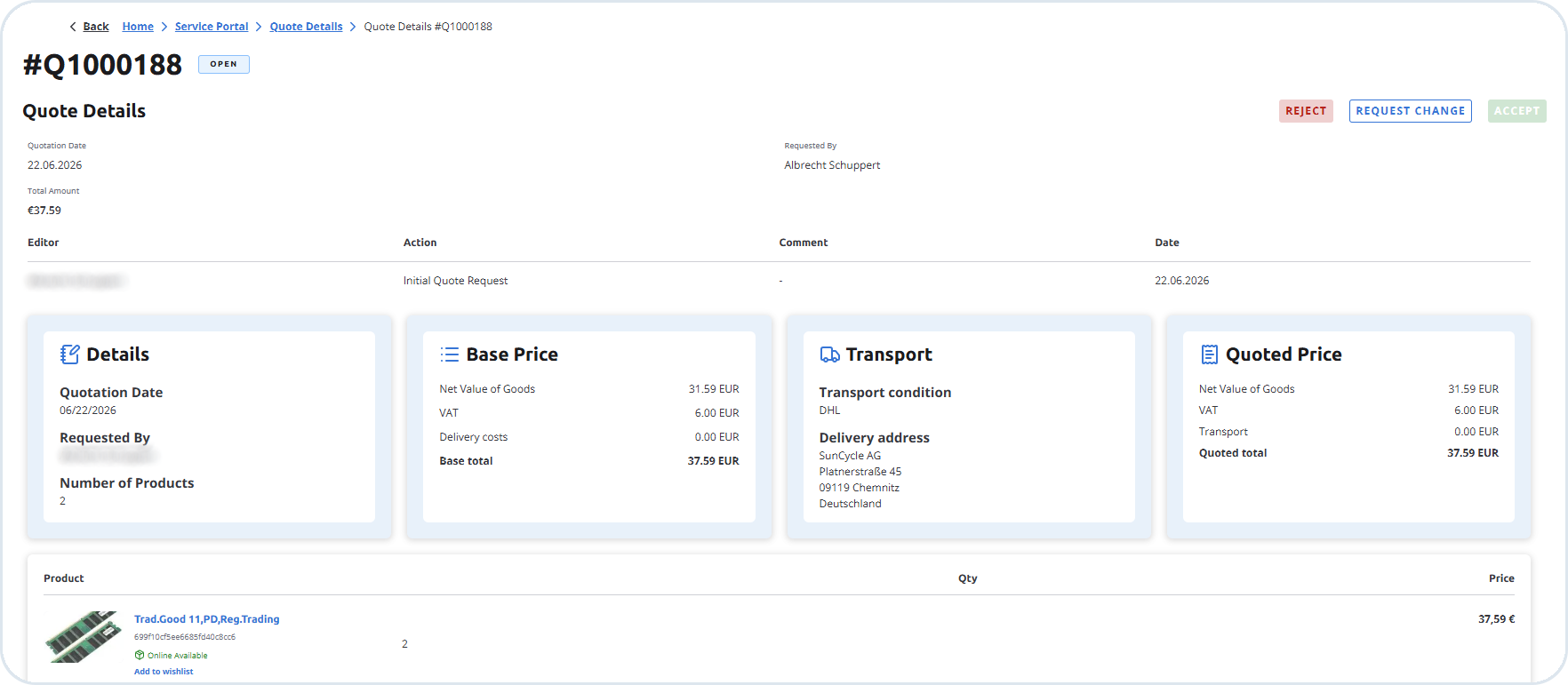
On the B2B Commerce Frontend, the quote status changes from Creating to Open. The customer can review the quotation and choose Accept, Reject, or Request Change.

Accept the quote and create the order
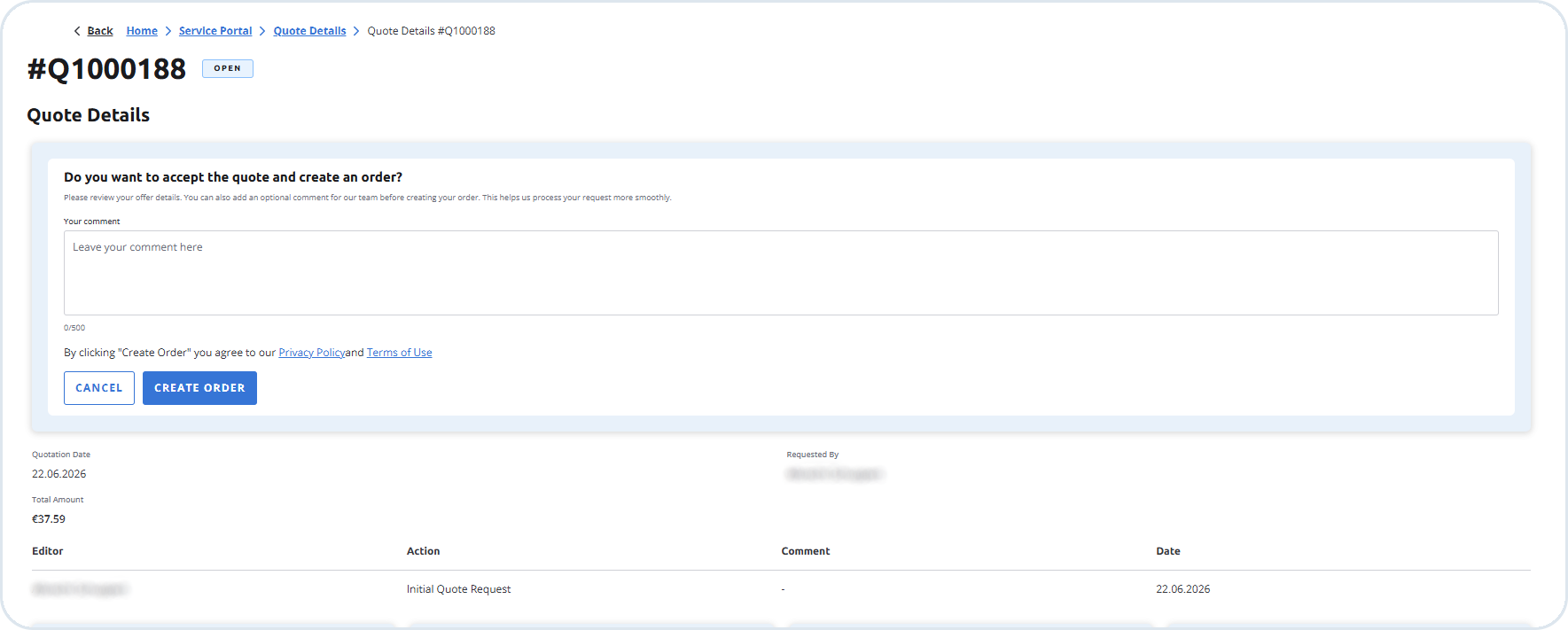
On the B2B Commerce Frontend, the customer accepts the quote by choosing Create Order, it starts the quote-to-order conversion. An optional comment can be added before confirming.

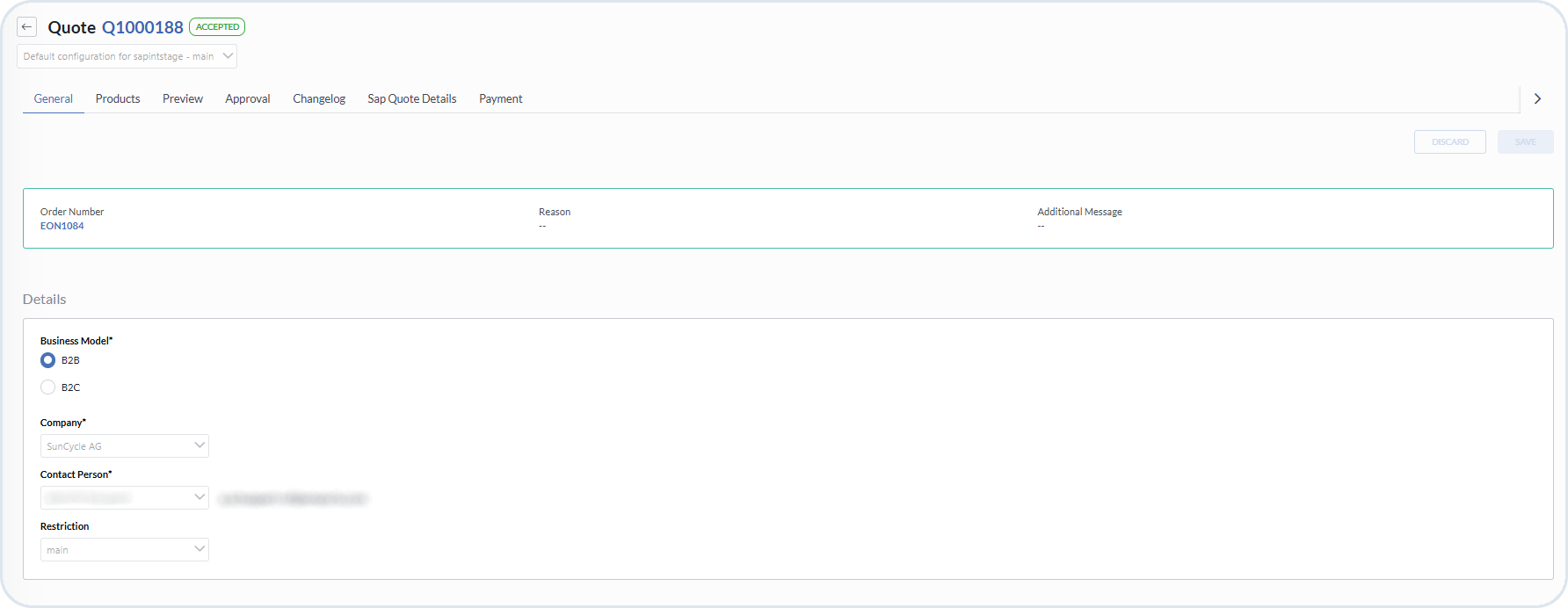
Emporix creates the order in the Commerce Engine. In the Management Dashboard Quotes view, the quote status changes to Accepted. The General tab shows the related Order Number.

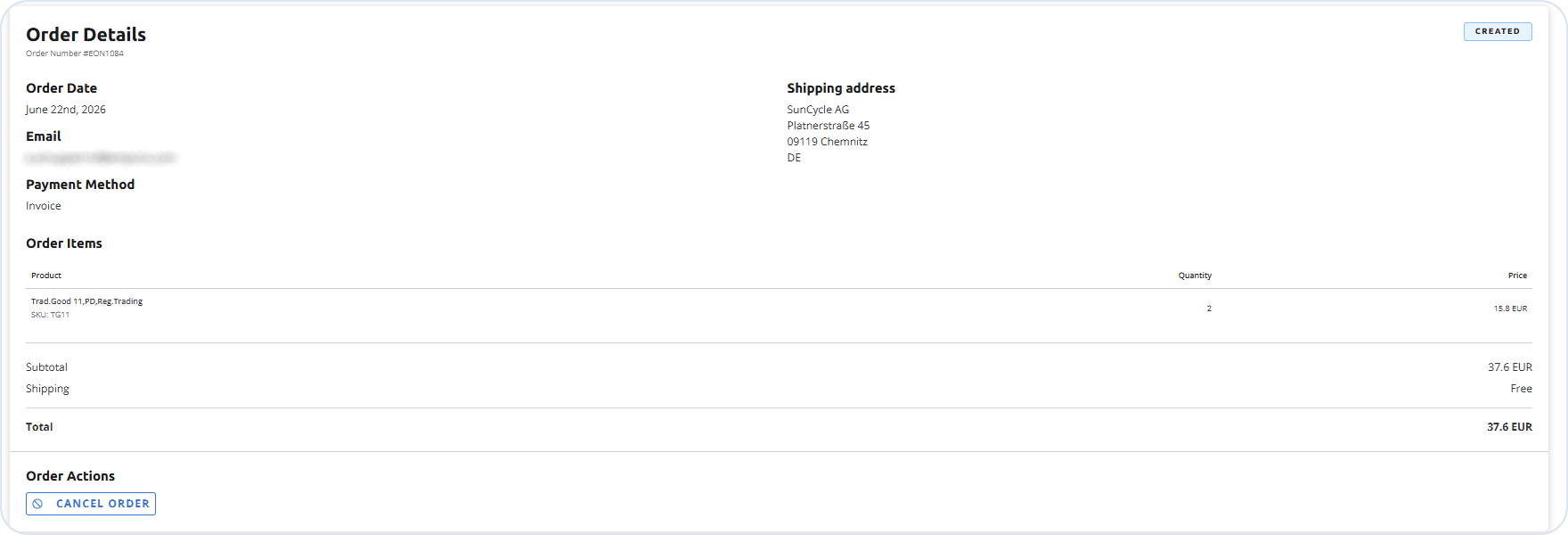
On the B2B Commerce Frontend, the Order Details view shows the new order with Created status, including Shipping address, Payment method, and line items.

The order.create webhook triggers the A2X-based Order Create integration flow to post the order to SAP S/4HANA with a reference to the quotation.
Once the quote is accepted on the B2B Commerce Frontend, it can no longer be updated from SAP.
Verify the sales order in SAP S/4HANA
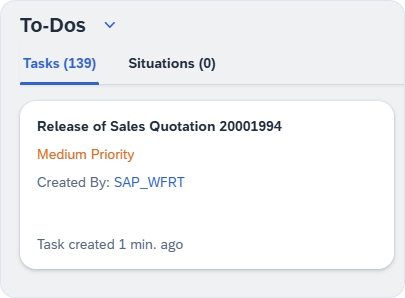
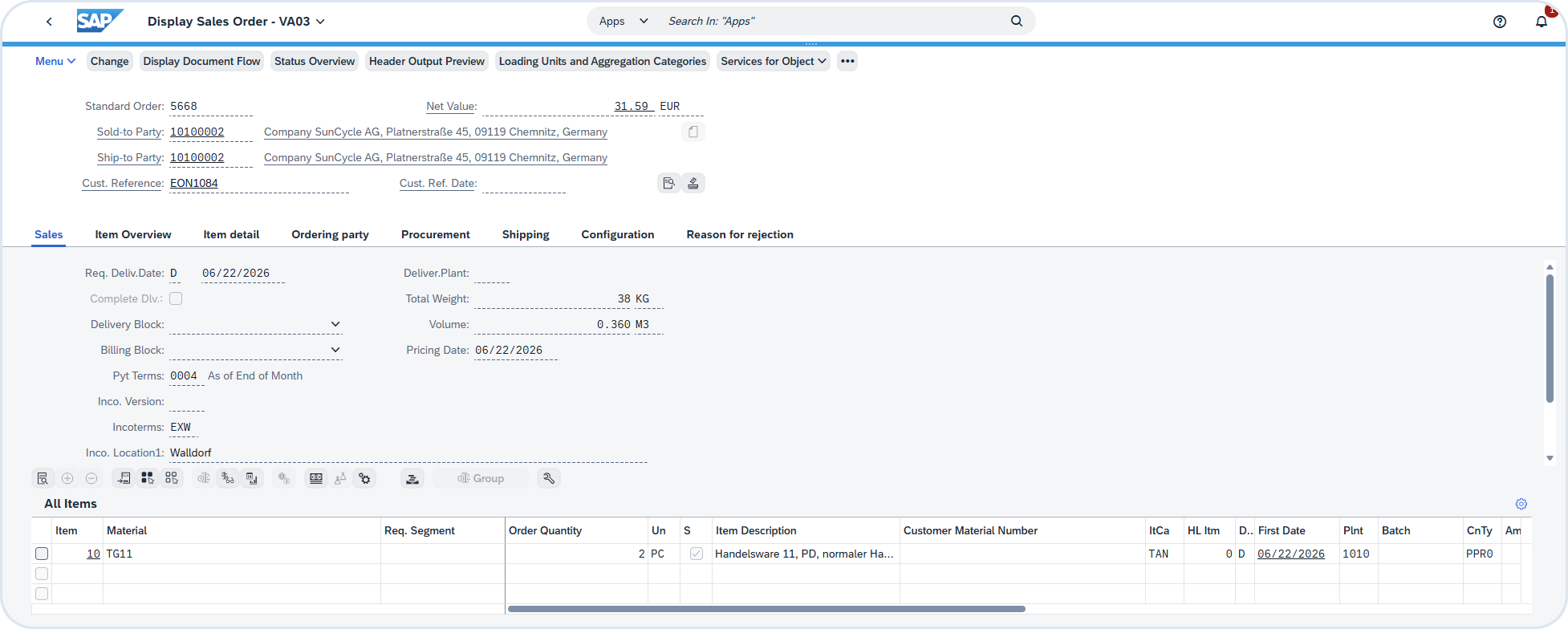
In SAP, a new sales order appears in the workflow. Choose Display Order to open it. You can verify that the sales order was created with a reference to the originating quotation. The Customer Reference field carries the Emporix order number.

Last updated
Was this helpful?